Integration steps
Integrations steps connect flows to external systems: HTTP Request for APIs and Google Sheets for spreadsheet logging.
Live URL: live.chatmaven.ai/workspaces/flows
HTTP Request
Call an external HTTP API from a flow—for example to look up account data, validate an ID, or notify another system. Map parts of the JSON response into flow variables for use in later Message, Condition, or Update Contact steps.
- Store secrets in your API gateway or use server-side auth profiles configured in ChatMaven (Manage API connections).
- Use HTTPS endpoints in production.
- Restrict who can edit flows that contain HTTP steps in your workspace.
Configuration overview
Add HTTP Request from STEPS under Integrations, then click the node to open the panel.
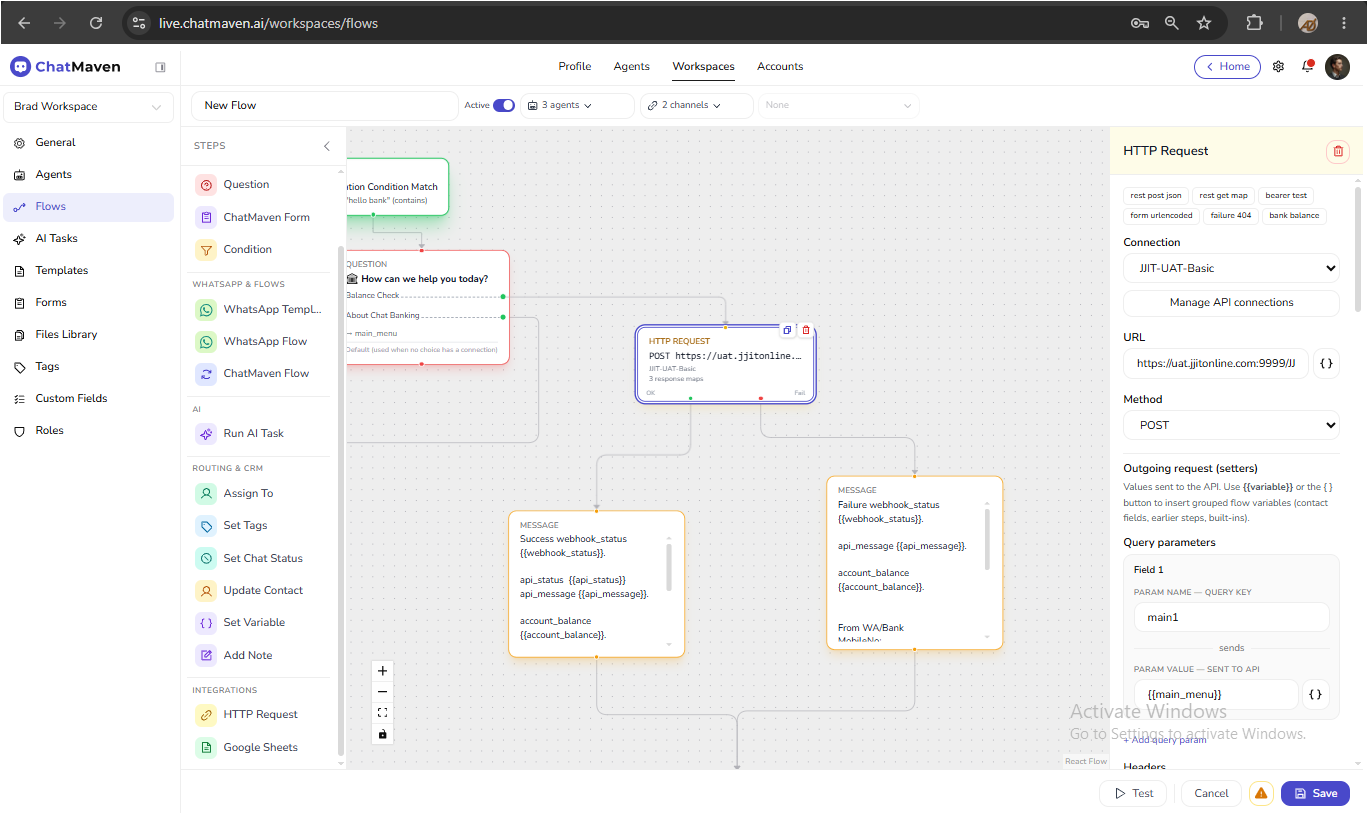
| Field | Purpose |
|---|---|
| Connection | Optional auth profile (or None — no auth). |
| URL | Endpoint. You may use {{variables}} in the URL where supported. |
| Method | HTTP verb (GET, POST, PUT, PATCH, DELETE). |
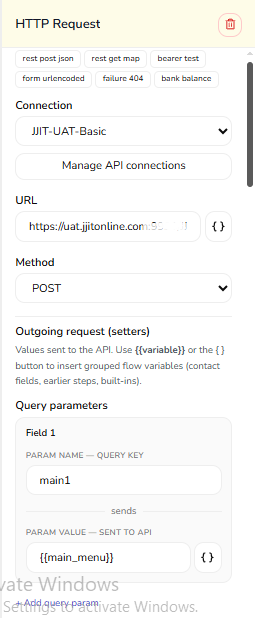
| Field | Purpose |
|---|---|
| Query parameters | Key/value pairs appended to the URL. |
| Headers | Name/value pairs (for example Content-Type, Authorization). |
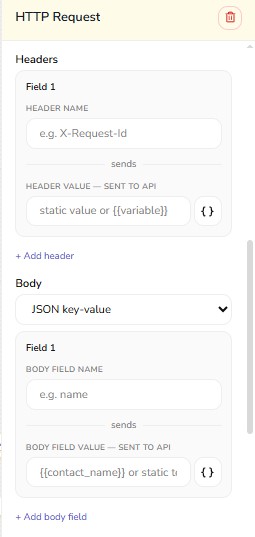
| Field | Purpose |
|---|---|
| Body | Request payload for POST/PUT; JSON key-value, JSON raw, form URL-encoded, or raw text. |
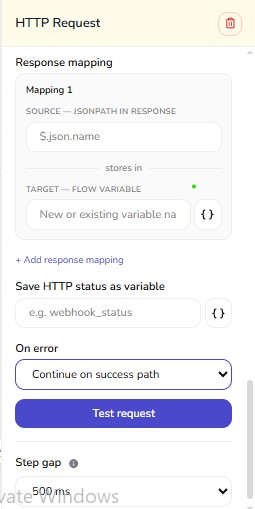
| Field | Purpose |
|---|---|
| Response mapping | Map JSON paths to variable names (for example $.data.balance → account_balance). |
| Save HTTP status as variable | Optional status code variable (for example api_status). |
| On error | Continue on success path or follow failure branch. |
Steps:
- Define the request (URL, method, headers, body).
- Add response mapping rows: JSON path → variable name.
- Wire OK and Fail ports on the canvas as needed.
- Save the step.
- Add a Condition step to branch on
api_statusor mapped fields when needed.
Typical pattern:
HTTP Request → Condition (status is 200) → Message (success)
                      └→ Otherwise → Message (error) or Assign To
Tips:
- Map only the JSON fields you need; avoid storing full responses in variables.
- Use test endpoints during development; switch to production URLs only when Active.
- Whitelist ChatMaven egress IPs on your firewall if your API restricts by IP (ask support for current ranges).
Google Sheets
Send flow data to Google Sheets when the integration is enabled.
- Connect Google Sheets under agent integrations first.
- Add Google Sheets from STEPS under Integrations.
- Click the node and Configure sheet — select target spreadsheet and sheet.
- Configure mapping — map columns from flow variables or contact fields.
- Save the step.
Tips:
- Test with a single row before using in high-volume flows.
- Place after data collection steps (Question, ChatMaven Form, HTTP Request) so variables are populated.
FAQ
Can I use OAuth 2.0 login flows in HTTP Request?
Use endpoints that accept static API keys or bearer tokens in headers unless your workspace documents a supported OAuth profile. Interactive OAuth consent flows are generally not suitable inside a single HTTP step.
What if the API is slow?
Long requests may time out. Keep backends fast or use asynchronous patterns on your API where possible.
Why are my mapped variables empty?
Check JSON paths, response content-type, and Flow validation notes. Empty variables may still render in messages using guest fallback text.
Related
- Flows overview
- Conversation steps — Condition
- Routing & CRM — Set Variable
- API keys (account-level API access, separate from flow HTTP steps)