Calendly
Connect ChatMaven to Calendly so your agent can use your scheduling link. Once connected, your chatbot can share your Calendly booking URL and keep scheduling seamless for your visitors—no back-and-forth needed.
Video Walkthrough
Watch the video below for a step-by-step guide on connecting Calendly to ChatMaven. You can also follow the written steps in this guide.
Open the Calendly integration video on Google Drive in a new tab if the player above does not load.
What you need
Step-by-step: Connect Calendly
1. Open Calendly in ChatMaven
1.1 In ChatMaven, go to Agents > Integrations > Calendly.
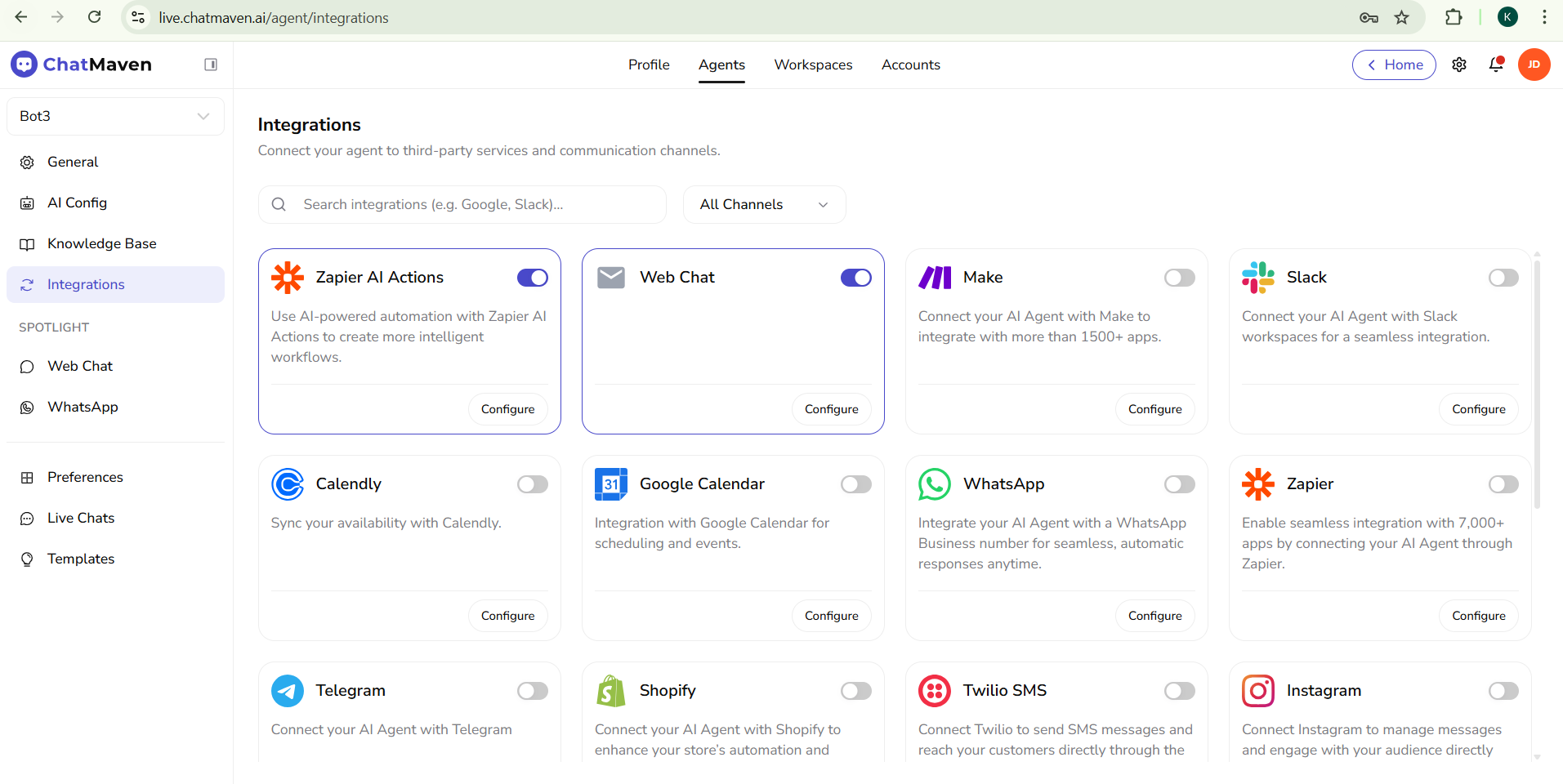
1.2 You will see Connect other calendar Provider. This is where you’ll add your Calendly link.
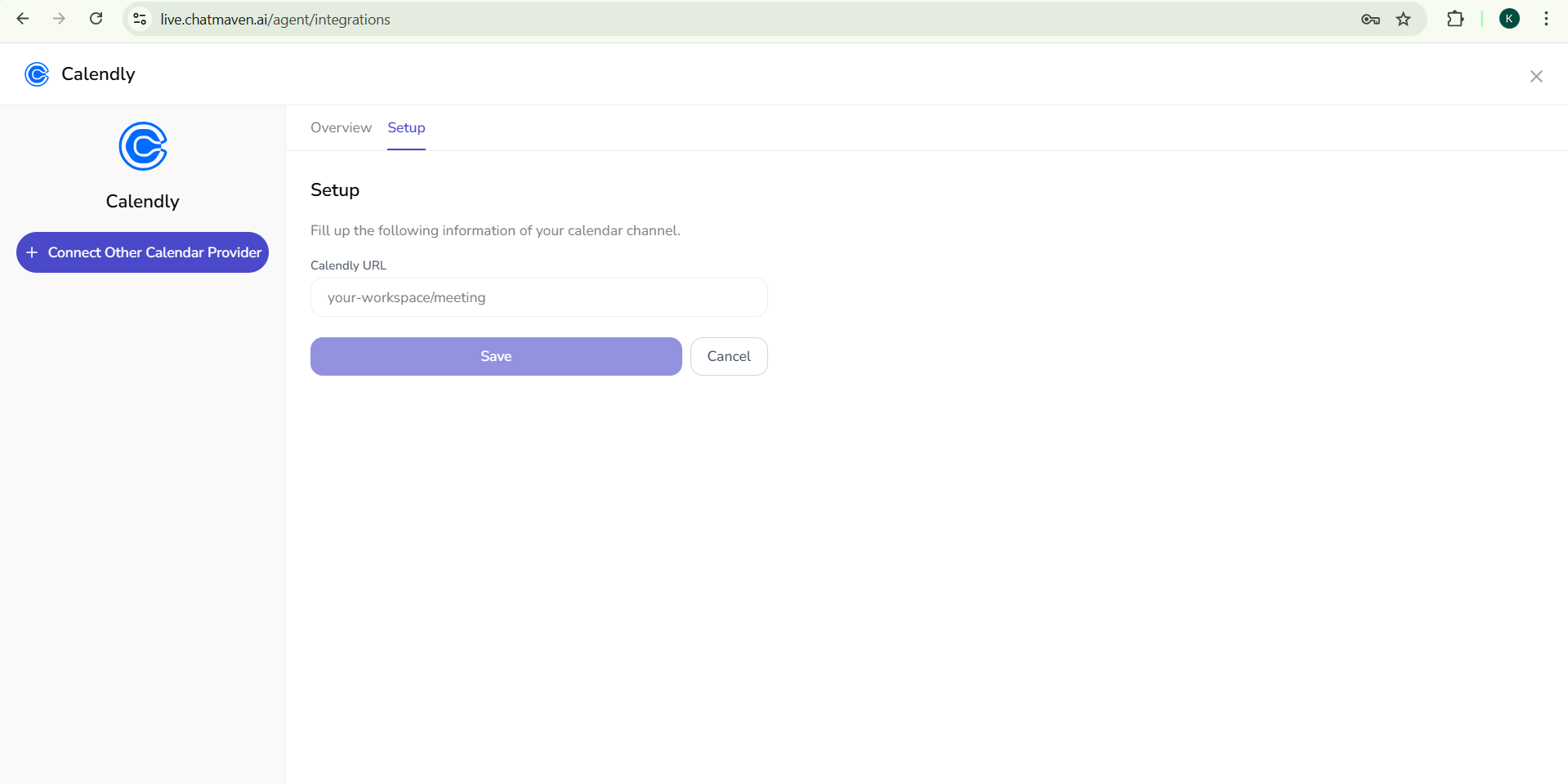
2. Get your Calendly URL
2.1 Open the Calendly app and sign in.
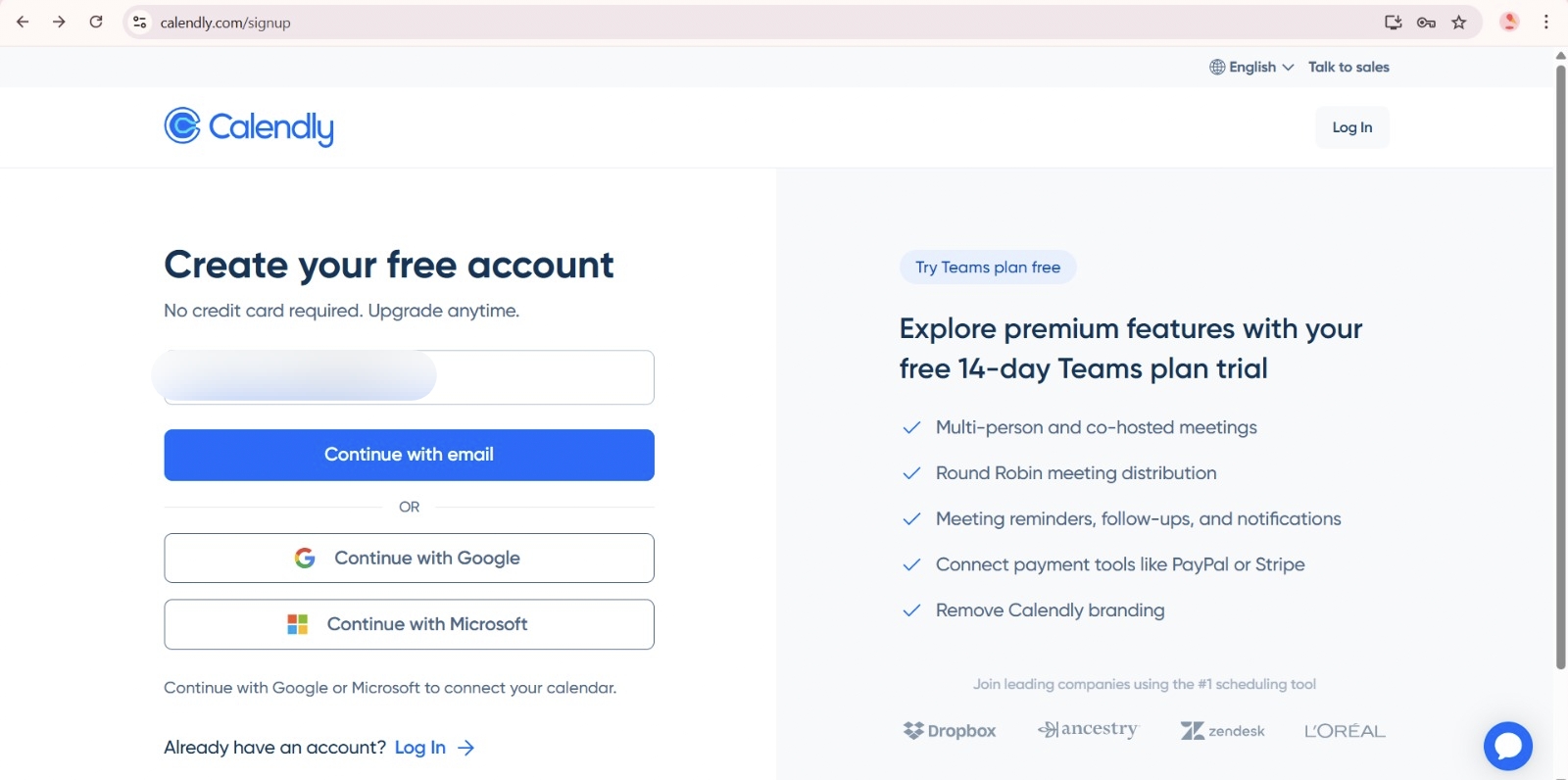
2.2 Go to Profile > My link.
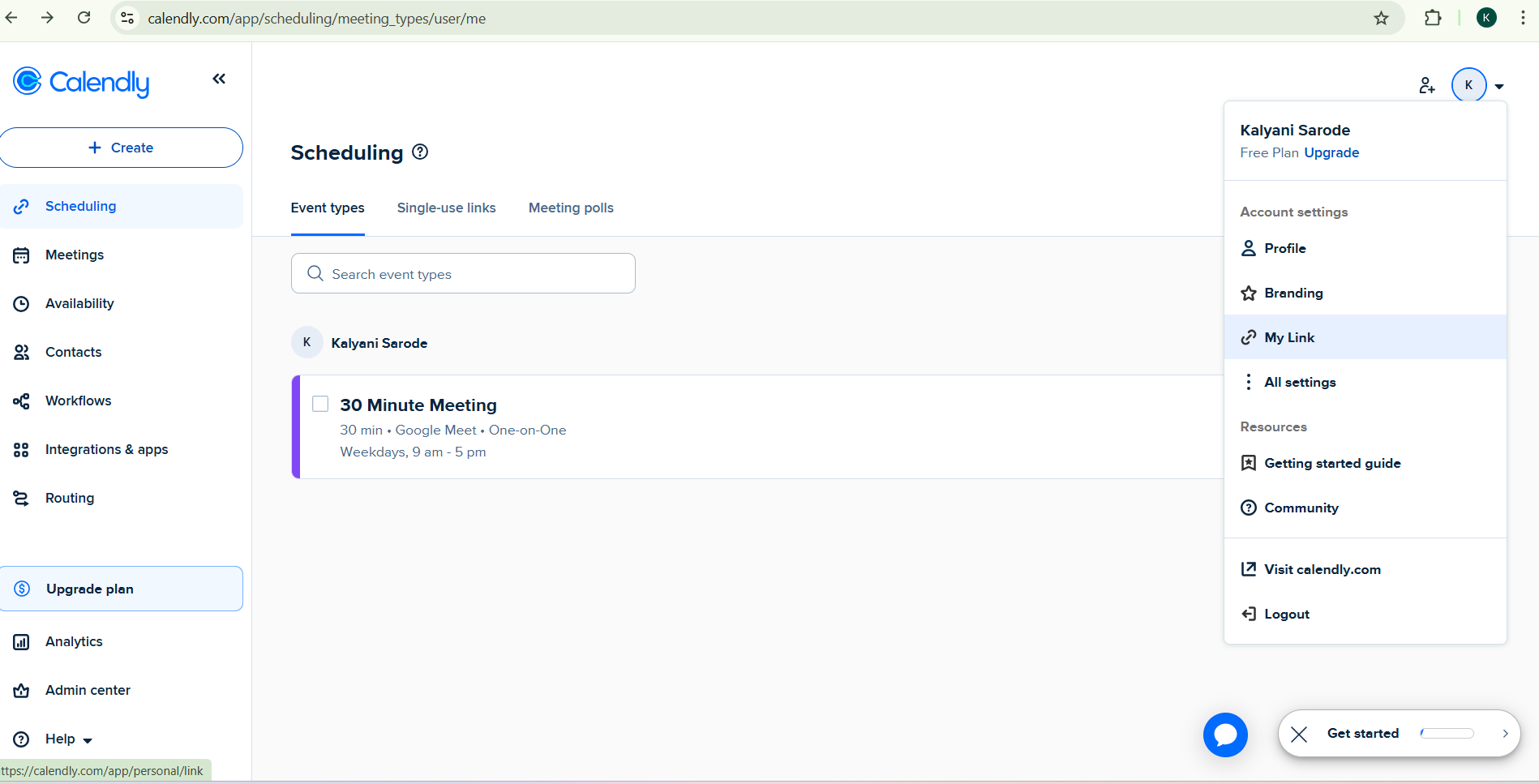
2.3 Copy your Calendly scheduling link (your personal booking URL).
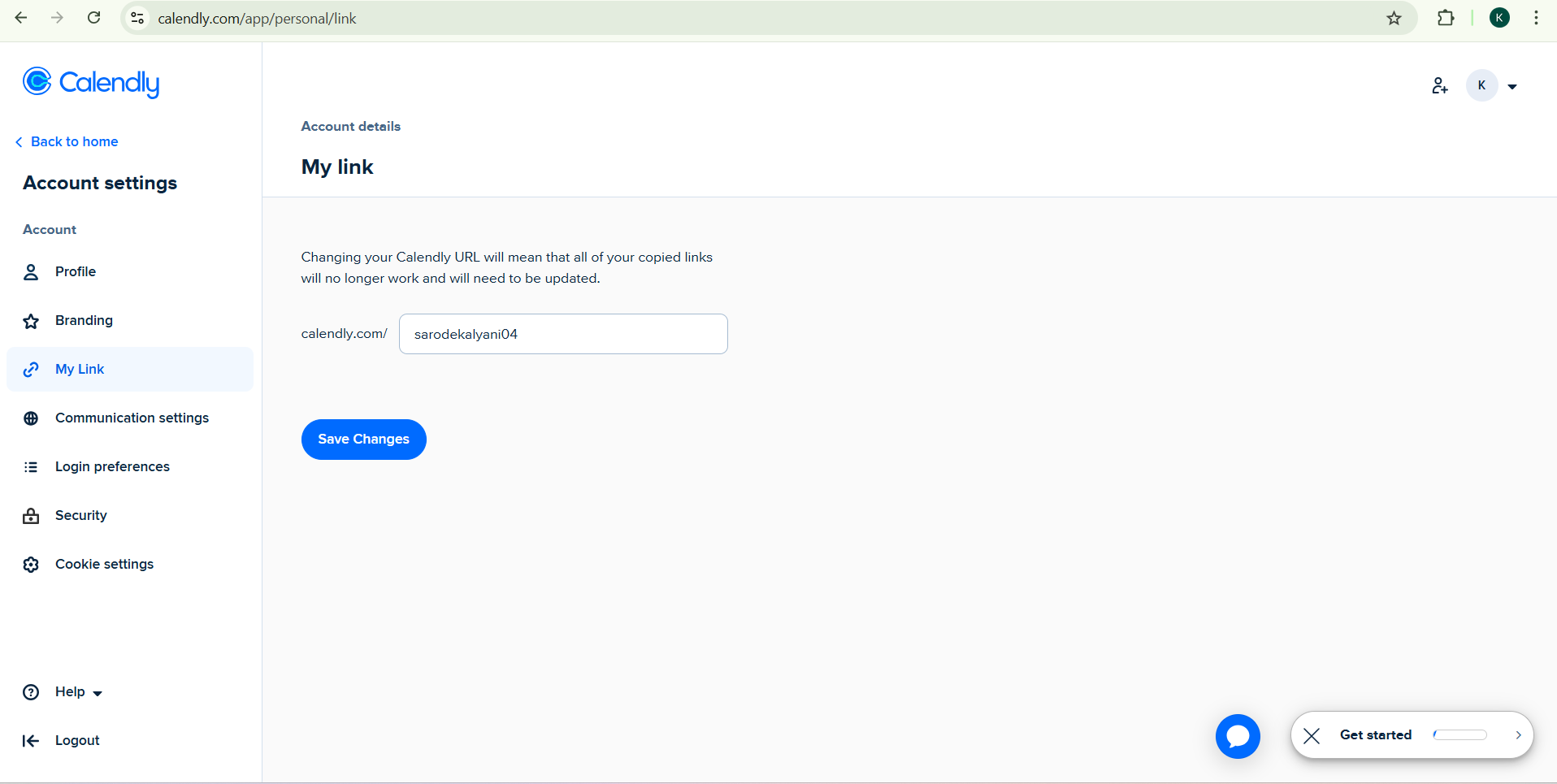
3. Paste your link in ChatMaven
3.1 Return to ChatMaven: Agents > Integrations > Calendly.
3.2 Paste your Calendly URL into the Calendly URL field.
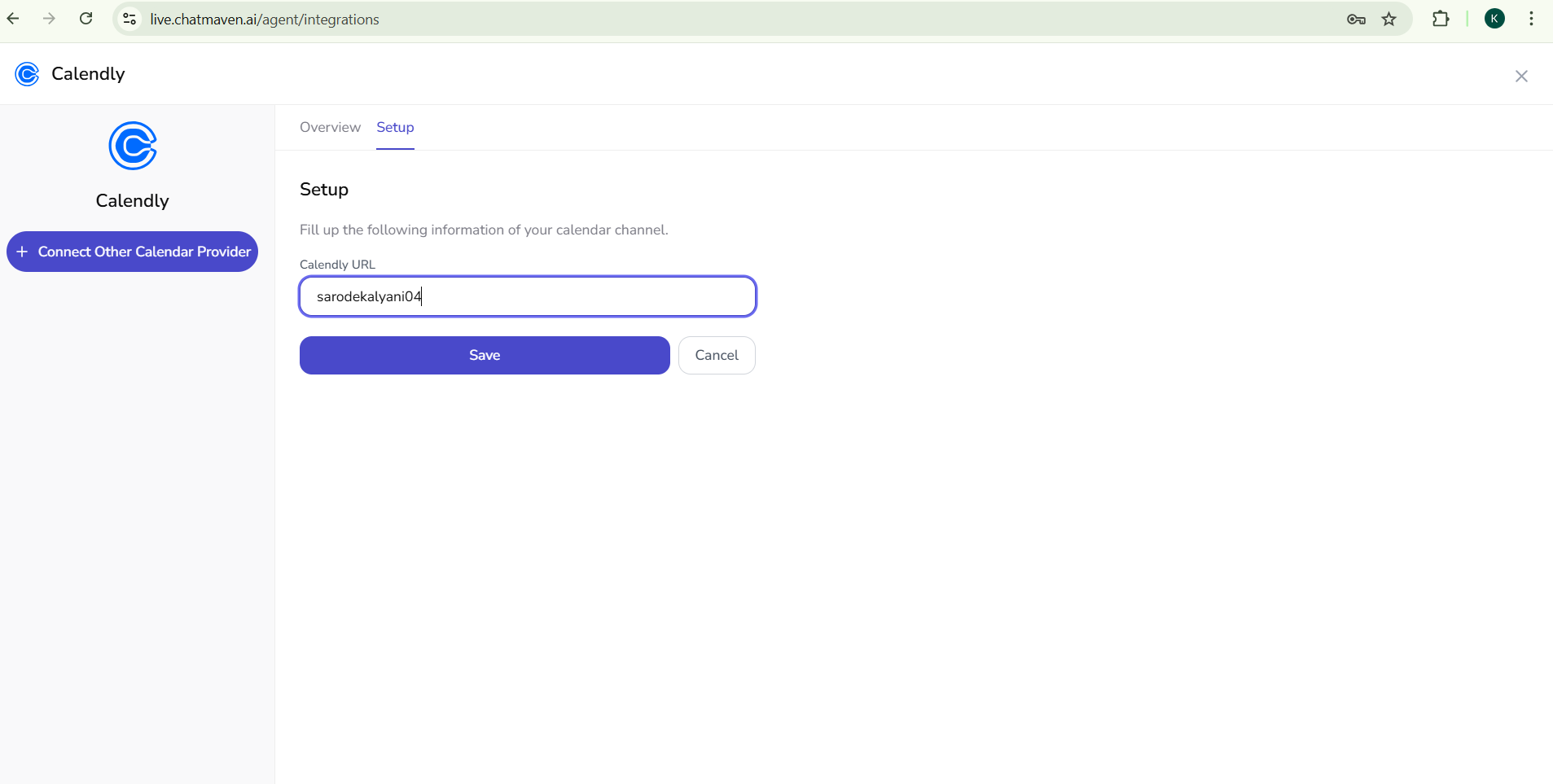
3.3 Save or connect to finish the setup.
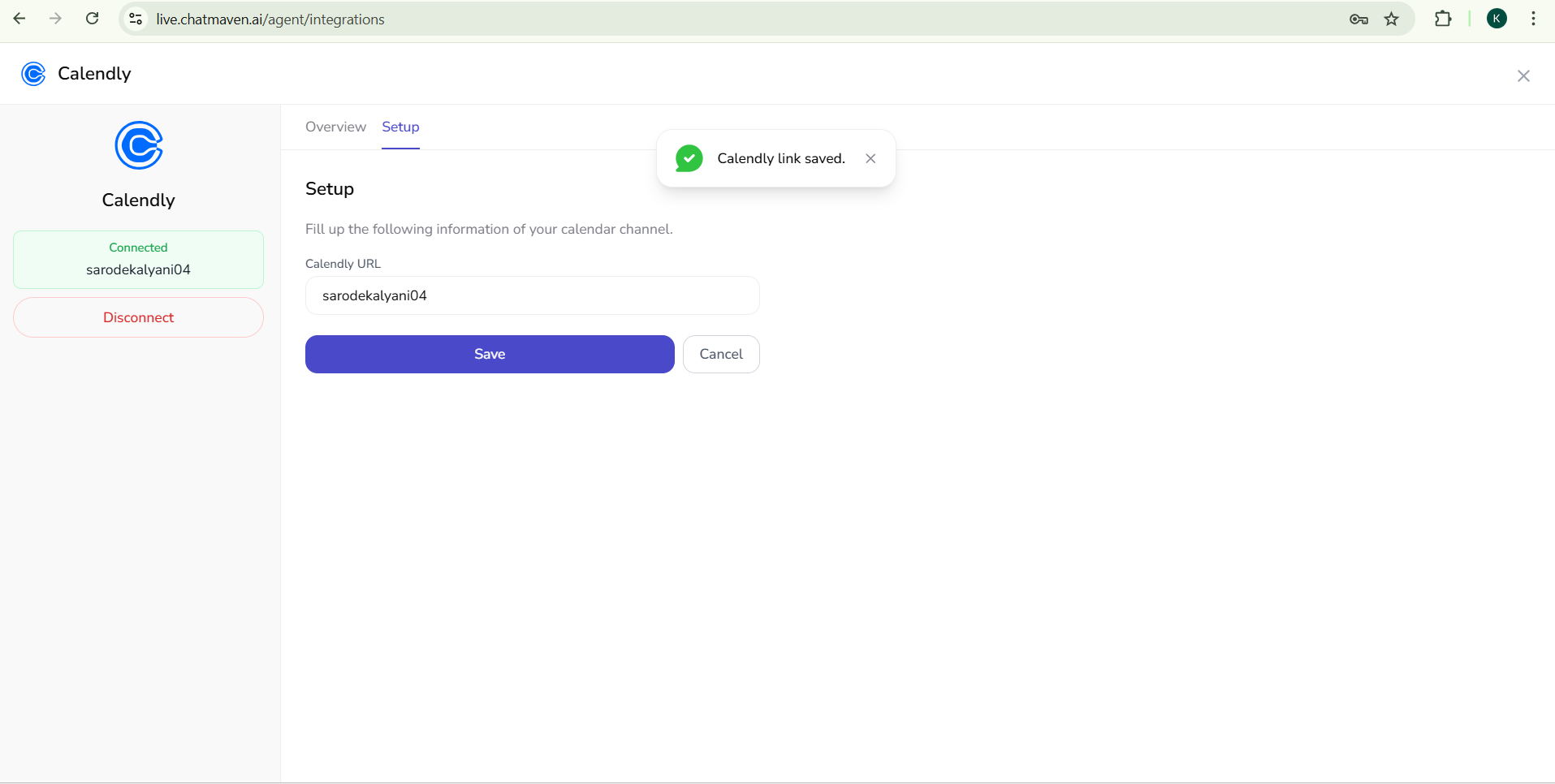 Your Calendly account is now connected to ChatMaven😀🎉. Your agent can use this link so users can book time with you directly from the chat.
Troubleshooting
- Link not working: Make sure you copied the full URL from Calendly (Profile > My link), not a single event type link, unless that’s what you intend to use.
- Connection not saving: Confirm the URL is pasted correctly with no extra spaces. Try copying the link again from Calendly and pasting it once more.
Need help?
FAQ and troubleshooting
Events are not appearing or booking links fail.
Confirm the Calendly account you authorized matches the one that owns the event types. Reconnect the integration and ensure the correct workspace is selected in ChatMaven.
Why does the bot not offer my availability?
Check that the event type is active in Calendly and that any required fields (duration, location) are set. Some flows need the latest template or agent instructions to mention scheduling.
Can I use multiple Calendly users?
Depends on how OAuth was completed. If only one Calendly user is connected, that user’s event types drive scheduling. Reconnect or use separate workspaces if you need isolation.