Instagram Insights
Instagram insights shows read-only Meta metrics for your connected Instagram account inside ChatMaven. Use it to check reach, views, engagement, and recent media performance without leaving the Integrations panel.
Instagram must be connected so Configure shows Connected and the Instagram toggle is enabled. Insights live on the Overview tab (not Setup).
Open Instagram insights
- Go to Agents → Integrations.
- On the Instagram card, click Configure.
- Stay on the Overview tab.
- Scroll to the Instagram insights section (below Comment auto-reply).
On the left rail you should still see Connected and your Instagram username. On Overview, insights appear with a date window, summary cards, and a Recent media table.
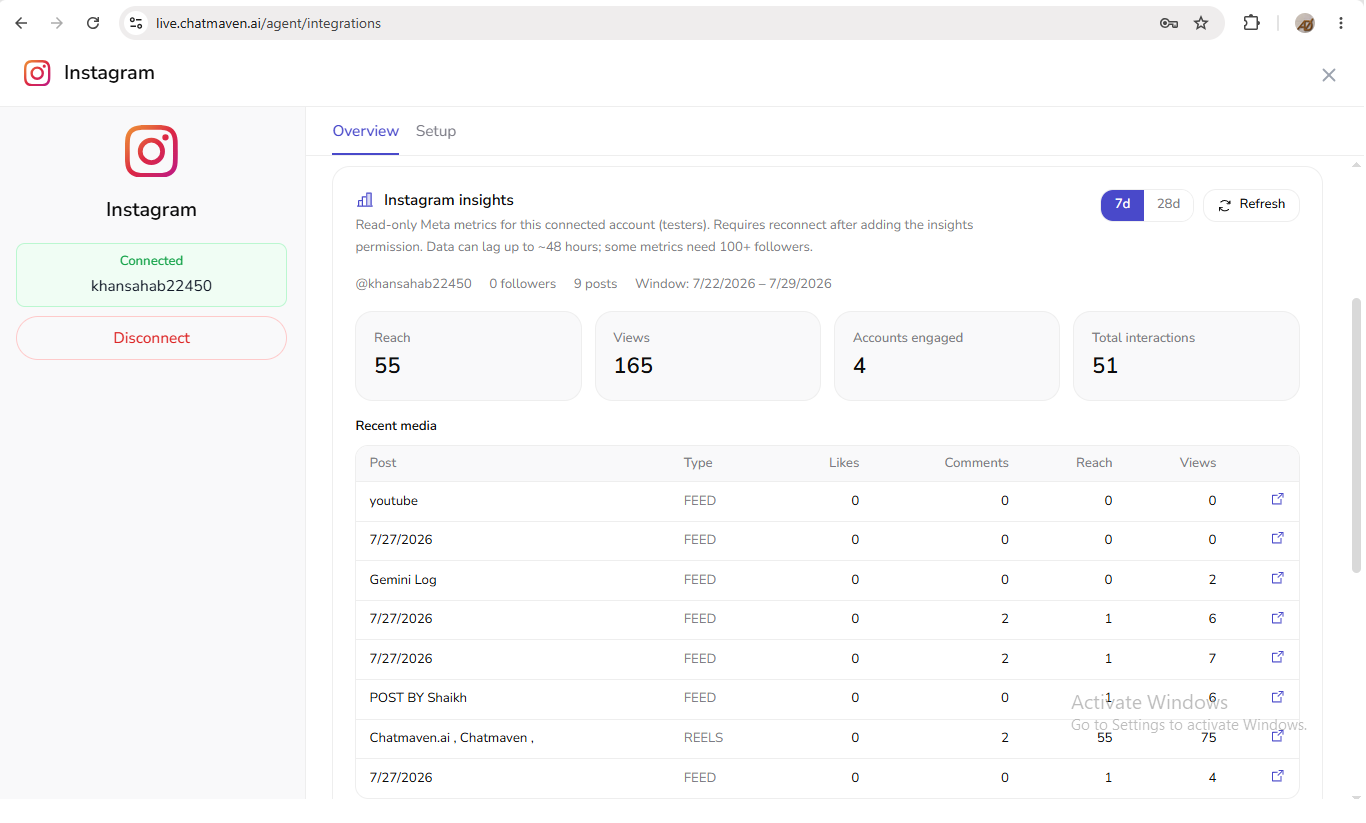
In this view you can:
- Confirm the connected handle and follower / post summary
- Switch the time range with 7 d or 28 d
- Click Refresh to reload metrics
- Read Reach, Views, Accounts engaged, and Total interactions
- Browse Recent media (post name, type such as FEED or REELS, likes, comments, reach, views)
What the product says
Verbatim notice under Instagram insights:
Read-only Meta metrics for this connected account (testers). Requires reconnect after adding the insights permission. Data can lag up to ~48 hours; some metrics need 100+ followers.
Insights are labeled (testers) in the product. If you recently added the insights permission, reconnect Instagram so metrics can load.
Controls and layout
Account summary
Above the metric cards, Overview shows your Instagram handle, follower and post counts, and the selected date Window (for example, a 7-day range).
Time range
Use 7 d or 28 d to change the insights window, then Refresh if you need to reload metrics.
Summary metrics
The Overview cards include:
- Reach — how many unique accounts were reached
- Views — view count for the window
- Accounts engaged — accounts that interacted
- Total interactions — total interaction count
Recent media
The Recent media table lists posts with columns such as Post, Type (for example FEED or REELS), Likes, Comments, Reach, and Views. Rows may include a link to open the post on Instagram.
Notes and limits
- Metrics are read-only Meta data for the connected account.
- Data can lag up to ~48 hours.
- Some metrics need 100+ followers.
- If insights fail to load, Overview may show errors such as profile or recent-media load failures — reconnect after confirming the insights permission, then use Refresh.
FAQ
Where is the Setup tab for insights?
Insights live on Overview, not Setup. Setup is for connection management (for example Disconnect).
Why are metrics empty or missing?
Check the on-screen notice: reconnect after adding insights permission, allow for lag, and confirm follower-count requirements for some metrics.