Instagram Auto-reply
After Instagram is connected and the channel toggle is enabled, ChatMaven can reply to Instagram Direct Messages and — when you turn the option on — to new top-level comments on your posts and Reels.
This page covers both behaviors, with example images of the ChatMaven setting (ON) and Instagram-side results.
Complete How to connect ChatMaven to Instagram first. Configure must show Connected, and the Instagram Integrations toggle must be on.
DM auto-reply
What it does
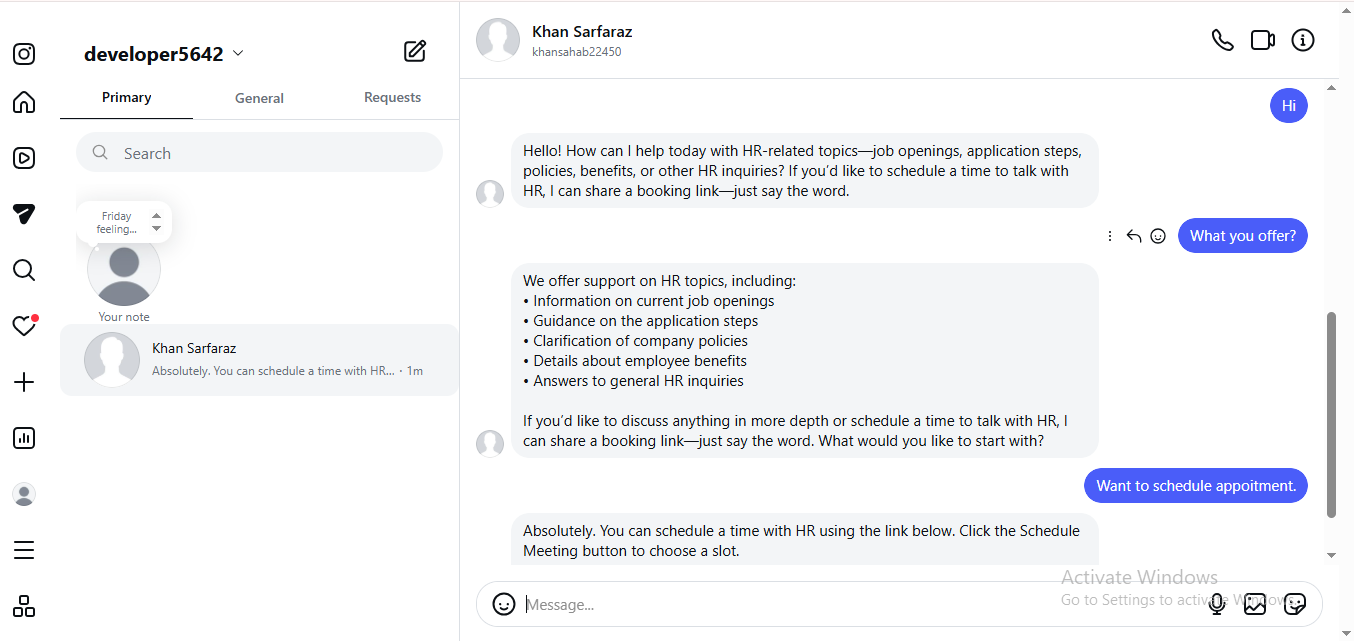
When someone sends a Direct Message to your connected Instagram account, your ChatMaven agent can reply automatically in that Instagram chat thread. You do not need a separate “DM auto-reply” checkbox — DMs are handled once Instagram is connected and enabled for the agent.
How it works
- Connect Instagram and leave the Instagram toggle on — see Instagram Integration.
- A customer (or another Instagram user) sends a DM to your connected account.
- The agent responds in the same Instagram conversation with answers based on your agent’s knowledge and settings.
What you see on Instagram
The example below shows an Instagram Direct Message thread where the connected account replies automatically to the other user’s messages. Use this as a check that DM auto-reply is working end to end after connect.
Notes
- Keep the Instagram channel Connected and the Integrations toggle enabled.
- Replies appear in the Instagram messaging UI for that conversation.
- For how connection status looks in ChatMaven, see Step 7 — Connected Overview.
Comment auto-reply
What it does
Comment auto-reply is controlled on the Instagram Overview tab in ChatMaven.
Product copy under Comment auto-reply (verbatim):
When enabled, ChatMaven posts a public AI reply under new top-level comments on your Instagram posts and reels. Comments also appear in Inbox. Off by default.
The control is the checkbox labeled Auto-reply to Instagram comments.
Turn comment auto-reply ON
- Go to Agents → Integrations.
- On the Instagram card, click Configure.
- Open the Overview tab.
- Under Comment auto-reply, check Auto-reply to Instagram comments so it is ON.
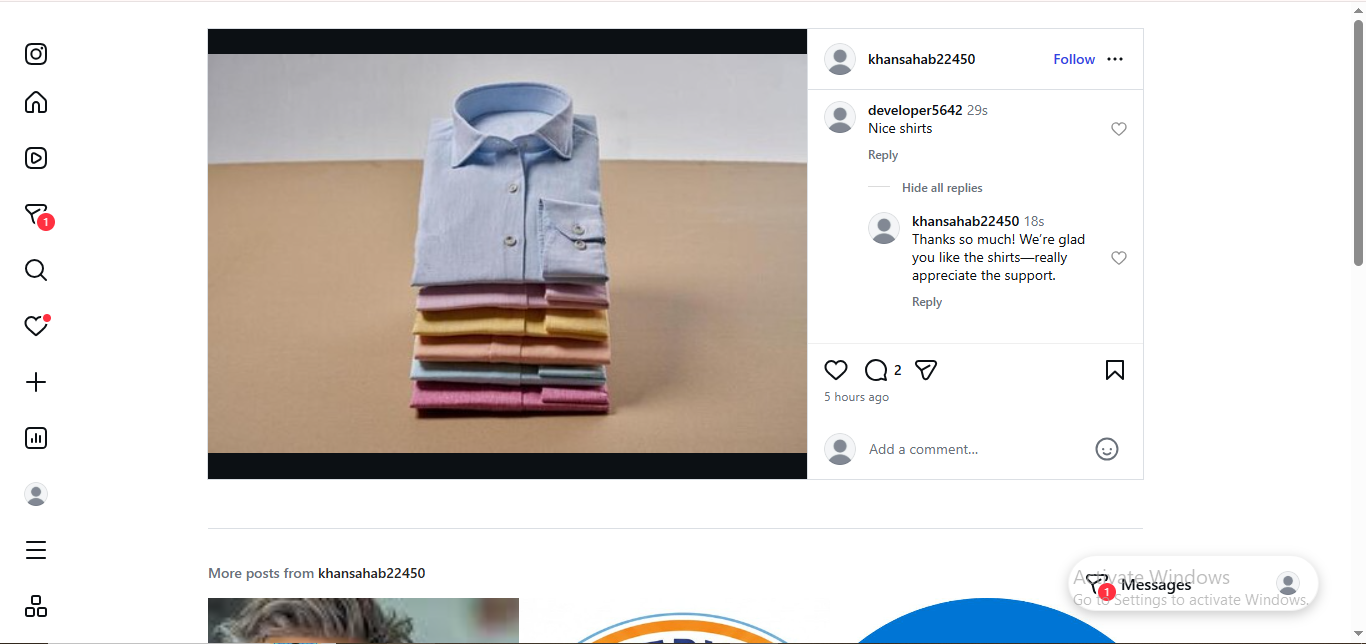
When the checkbox is ON, ChatMaven can post a public AI reply under new top-level comments. Comments also appear in Inbox.
The Connected Overview image below shows the account Connected with Auto-reply to Instagram comments checked (ON), along with insights and publish on the same tab.
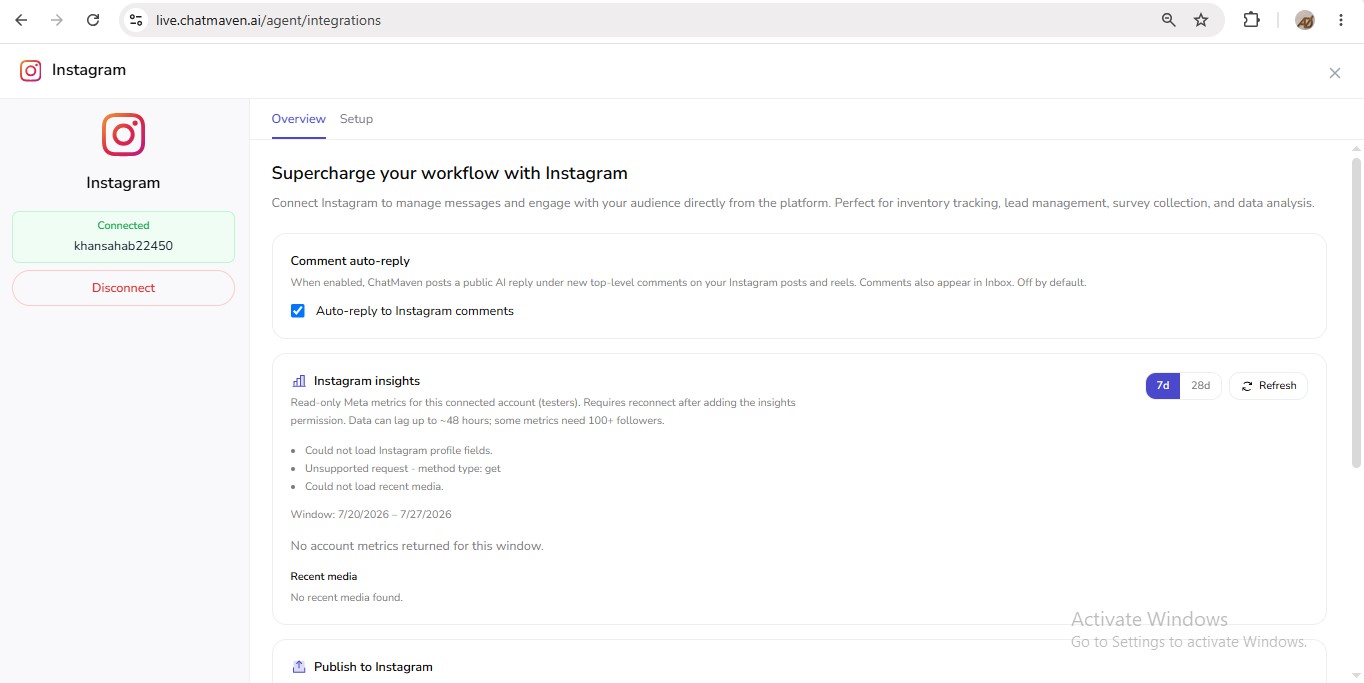
The product states comment auto-reply is Off by default. Leave the checkbox ON when you want public comment replies, as in the image above.
What you see on Instagram
After the checkbox is ON, a new top-level comment on your post or Reel can receive a public reply from the connected account. The example below shows a comment and the automatic public reply on Instagram.
Notes
- Applies to new top-level comments on your Instagram posts and Reels (as stated in the product).
- Comments also appear in ChatMaven Inbox.
- Turning the checkbox off stops new public auto-replies; it does not remove replies already posted on Instagram.
FAQ
Do I need Instagram connected before auto-reply works?
Yes. Finish the connect flow, keep the Instagram toggle enabled, and confirm Connected in Configure.
Are DM and comment auto-reply the same setting?
No.
- DM auto-reply runs when Instagram is connected and enabled for the agent.
- Comment auto-reply needs the separate Auto-reply to Instagram comments checkbox on Overview set to ON.
Why am I not getting comment replies?
Confirm Auto-reply to Instagram comments is checked (ON) on Overview, the Instagram toggle is enabled, and the comment is a new top-level comment on a post or Reel owned by the connected account.